
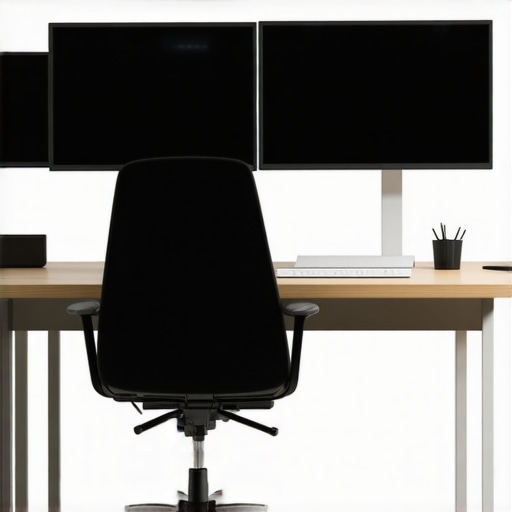
It was a typical Wednesday afternoon when I caught myself mid-zoom call, neck stiff and aching, wondering why I felt ten years older just from staring at my screens. That light bulb moment hit hard—I realized that my setup was slowly turning me into a chronic neck crick artist. Maybe you’ve been there too, catching yourself adjusting endlessly or muttering at the pain that just won’t quit. Trust me, I know the feeling all too well.
Why Your Monitor Setup Could Be Sabotaging Your Posture
Having a second monitor is a game-changer for productivity, but if it’s arranged poorly, it can become your worst enemy for posture health. When I first started working with dual screens, I didn’t realize how subtly my posture was slipping into bad habits. I would constantly lean to the side or crane my neck to see the edges of my monitors, leading to those annoying, persistent neck cricks.
Here’s the truth: alignment matters. According to recent research, poor monitor placement can contribute to a significant increase in neck strain and discomfort (source: The Link Between Mobility and Posture). That was a wake-up call for me, and I bet it is for you too.
Adjusting your workspace isn’t just about aesthetics or avoiding pain—it’s about preventing long-term issues. Going through the motions of hunching forward or twisting to see your screens can lead to chronic problems that are tough to undo once they set in. By paying attention to how your monitor is positioned and maintaining good mobility habits, you can sidestep those nagging neck cramps.
So, have you faced this problem—constant neck pain, tired shoulders, or headaches after a long day at your desk? If yes, you’re not alone, and the good news is, there are straightforward ways to fix it. Let’s dive into the practical steps I took to create a healthier, pain-free workspace, ensuring that my setup supports my well-being instead of sabotaging it.
Align Your Monitor Properly
Start by adjusting your monitor so that the top of the screen is at or just below eye level. Use a adjustable stand or stack books if necessary. When I first set mine up with a makeshift stand, I noticed almost immediate relief in my neck discomfort. Proper alignment keeps your head in a neutral position, reducing strain.
Position the Screen at an Optimal Distance
Place your monitor about an arm’s length away, approximately 20-24 inches. I once had my monitor too close during a chaotic workday, which made me lean forward constantly. Moving it back allowed me to view without leaning or craning my neck, easing tension.
Adjust the Monitor Angle for Comfort
Tilt your screen slightly upward or downward to avoid neck twisting. I experimented with tilting my monitor downward slightly, mimicking a natural gaze. This simple tweak prevented me from tilting my head and helped maintain better posture throughout the day.
Use Ergonomic Accessories
Invest in a monitor arm or adjustable desk mount to fine-tune height and angle easily. I added a monitor arm to my setup and found it straightforward to adjust on the fly, which meant less time spent grimacing at uncomfortable angles.
Incorporate Daily Mobility Exercises
Implement quick mobility routines like nerve gliding and neck tilts to keep your tissues flexible. For example, I performed a quick nerve glide exercise after long sessions, which prevented stiffness and improved circulation. Check out mobility exercises to learn more.
Take Regular Breaks
Every 30 minutes, stand, stretch, and move your neck and shoulders. I set a timer and made it a habit to do shoulder rolls and neck stretches, which reduced accumulation of tension and kept my posture in check.
Maintain Proper Seating Posture
Adjust your chair so that your feet are flat on the floor, knees at a 90-degree angle, and your lower back supported. I discovered that simply adjusting my seat height made a significant difference in overall comfort and posture stability.
Seek Professional Guidance
If persistent discomfort remains, consider consulting a chiropractor or posture specialist. I visited a chiropractor who provided personalized adjustments, transforming my approach to ergonomics.
By implementing these steps—adjusting your monitor, maintaining mobility, and seeking professional advice—you can create a workspace that supports your health. Small changes have a compound effect, and over time, you’ll notice less neck pain and improved overall posture.
While many believe that simply adjusting their chair or stretching a bit will solve all postural issues, the truth is that common misconceptions often lead us astray. For instance, a frequent myth is that static stretches alone can correct chronic poor posture. In reality, static stretching may sometimes exacerbate underlying imbalances if not complemented with targeted mobility exercises. Incorporating movement patterns that promote tissue elasticity and joint health is essential, as supported by research highlighting mobility’s role in spinal health (see expert tips here).
Many jump straight to frequent chiropractic adjustments expecting overnight results, but this can create a cycle where the body relies solely on manipulations without addressing the root neuromuscular imbalances. Avoid falling into the trap of treating symptoms rather than causes; combining adjustments with personalized mobility routines is more sustainable.
An often-overlooked nuance involves the role of sensory feedback, particularly proprioception—the body’s ability to perceive its position in space. When proprioceptive input diminishes, even correct postural habits can lapse under fatigue or stress. This is where advanced practices like nerve gliding come into play, enhancing nerve mobility and sensory feedback, leading to better postural control (learn more about mobility drills here).
Are you aware of how your vision impacts your posture? Many assume that eye health is separate from spinal health, yet poor visual alignment can cause compensatory neck and shoulder tension, creating a vicious cycle. For example, misaligned or strained eyes often lead to forward head posture, which many overlook as a contributing factor (discover how vision affects posture here).
Furthermore, the concept of quick fixes—like popping or cracking your own neck repeatedly—might seem harmless but can be detrimental. This habit masks underlying joint instability and can lead to increased ligament laxity, making future adjustments less effective and risking injury (see why self-manipulation is risky here).
For the advanced reader, one might ask: how does my body’s neuromuscular control influence sustained posture? The answer lies in understanding the complex interplay between muscle activation patterns, joint proprioception, and nervous system feedback. Addressing only muscle tightness with stretching without retraining proper activation leads to temporary relief, not lasting correction. Integrating dynamic mobility work that involves neuromuscular re-education is crucial for truly fixing chronic issues (learn about neuromuscular strategies here).
Remember, the goal isn’t just visual alignment but optimizing the entire system. Overlooking these nuanced factors can make your efforts less effective and prolong discomfort. Have you ever fallen into this trap? Let me know in the comments and share your experience. Ultimately, mixing advanced mobility routines with strategic adjustments is your best bet for durable improvements in posture and pain prevention.Achieving lasting improvements in posture and mobility requires not just knowledge but also reliable tools that support consistent practice. Over years of experimenting and working with clients, I’ve identified specific equipment and methods that deliver measurable results and foster long-term benefits. In this segment, I’ll share the tools I personally rely on to keep my body functioning optimally and how they can make your routine more effective and sustainable.
First and foremost, **adjustable monitor stands and ergonomic accessories** are indispensable. I use a sturdy, height-adjustable monitor arm to fine-tune my screen position. This flexibility helps prevent neck strain by ensuring my monitor remains at eye level, minimizing forward head posture. I recommend investing in a quality model with smooth articulation and cable management features. Proper monitor positioning aligns with the principles outlined in [our cornerstone content](https://quackersneck.com/the-4-point-check-for-perfect-posture-while-standing), ensuring your setup promotes natural spine alignment.
Next, **mobility tools like foam rollers and massage balls** play a vital role in my daily routine. A high-density foam roller helps release my thoracic kyphosis and tight hip muscles, essential for maintaining good posture during long sitting periods. I incorporate targeted rolling sessions, especially on areas prone to tension, to facilitate tissue elasticity. For precision, I use a small lacrosse ball to target trigger points along my scapula and hip flexors. This proactive approach prevents stiffness, which can sabotage mobility progress.
In addition, I incorporate **nerve gliding exercises**, which I’ve found invaluable for preventing nerve compression issues that often cause chronic discomfort. My preferred method involves specialized routines, such as those detailed in [mobility boost tutorials](https://quackersneck.com/revolutionize-your-posture-with-targeted-mobility-exercises), to maintain nerve health and keep limbs responsive. Regularly practicing these routines enhances neuromuscular control, making posture corrections more sustainable.
A **digital app for habit tracking and reminders** further fosters consistency. I use custom alert systems to prompt me every 30 minutes for quick stretches or posture checks. This small tech tool helps integrate mobility into my workday seamlessly, turning good practices into habits. Building on this, wearable posture correctors or smart sensors, like ergonomic bands that provide real-time feedback, are trending in the field. Though not a one-size-fits-all solution, they can reinforce proper alignment during daily activities.
Looking ahead, the future of posture maintenance seems intertwined with advances in biofeedback devices and AI-powered coaching apps. These innovations aim to personalize routines further and ensure corrections stick over time. Already, some professionals are integrating high-tech wearables with chiropractic data to tailor interventions dynamically, as discussed in [our recent chiropractic insights](https://quackersneck.com/how-chiropractic-adjustments-enhance-posture-and-mobility).
**How do I maintain my posture and mobility routines over time?** The key lies in consistency, variety, and proper education. I recommend choosing one or two tools—like a foam roller and habit-tracking app—and committing to daily use. Over time, your body will adapt, and routines will become second nature. I challenge you to try incorporating a nerve gliding exercise from [this guide](https://quackersneck.com/revolutionize-your-posture-with-targeted-mobility-exercises) into your daily practice. Watch how this small step can lead to significant improvements in nerve health and posture stability. Remember, tools support efforts, but persistence and mindful practice make lasting change possible.
What I Didn’t Expect About Posture and Mobility
One surprising lesson I learned is that posture isn’t just about static alignment; it’s a dynamic process that requires ongoing engagement and awareness. I used to think a quick stretch or an adjustment would do the trick, but I realized that genuine improvement came from understanding my body’s subtle signals and integrating mobility routines consistently.
Another lightbulb moment was recognizing how unconscious habits, like forward head postures while scrolling or working, compound over time. Correcting these behaviors—sometimes painfully slow—proved that patience and deliberate action are essential for lasting change.
Finally, I discovered that personalized adjustments, based on my unique body’s responses, outperformed generic fixes. Working with a chiropractor helped me see that tailored interventions, combined with mobility exercises, create a resilient foundation for long-term posture health.
My Go-To Tools to Maintain Better Posture
One resource I trust deeply is the comprehensive guides on mobility exercises. They remind me that active movement is key. Additionally, a quality adjustable monitor arm was a game-changer, ensuring my screens stay at eye level and reducing neck strain. I also swear by foam rollers and nerve gliding routines—these simple tools help keep tissues elastic and nerves responsive, supporting ongoing mobility efforts. Lastly, I rely on habit-tracking apps to remind me to take breaks and perform quick stretches, transforming mindful posture into a daily routine.
Embrace the Process and Change Your Life
Your journey toward better postural health is uniquely yours. The key is to start small, stay consistent, and keep learning from each tweak along the way. Remember, even tiny adjustments—like elevating your monitor or performing a nerve glide—can lead to profound relief and improved quality of life. So don’t wait for pain to prompt action; use this moment to commit to a healthier, more mobile version of yourself.
Have you experienced a moment when a small change made a big difference? Share your story below, and let’s inspire each other to prioritize lasting posture wellness.