
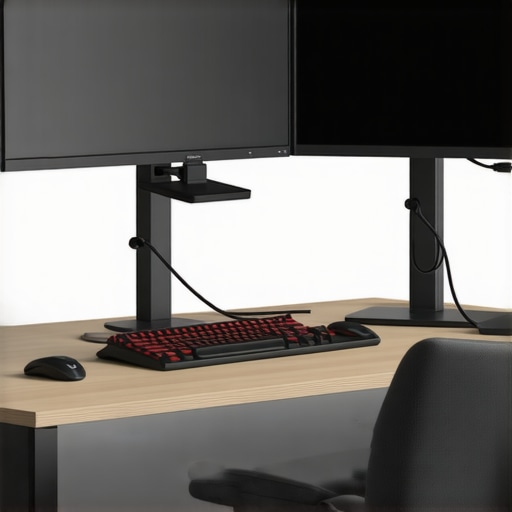
One afternoon, I caught myself slouching so badly at my desk that I felt a twinge in my neck that wouldn’t go away. It hit me—my setup was the real culprit. I’ve been there: trying to get work done, only to realize my posture is paying the price. It’s a common story, isn’t it? We set up our workstations with good intentions, but over time, the ergonomic pitfalls sneer back at us, leading to discomfort, fatigue, and even chronic pain.
Fixing Your Dual Monitor Setup Without Turning Your Home Into a Chiropractic Clinic
What if I told you that transforming your workspace into a pain-free zone is simpler than you think? Today, we’re going to explore practical ways to optimize your dual monitor arrangement so it supports your posture instead of sabotaging it. Think of this as your friendly neighbor’s guide—packed with real-world tips and a dash of experience—helping you avoid the costly mistake I made early on: ignoring the importance of monitor placement. That oversight led me down a rabbit hole of neck stiffness and eye strain, which I now know could have been prevented with some straightforward adjustments. If you’ve ever felt overwhelmed trying to figure out how to position your monitors or worried about investing in expensive ergonomic gear, you’re not alone. Together, we’ll unlock simple, effective strategies you can implement today to enhance your comfort and productivity.
Skeptical about the fuss over monitor placement? Here’s why it’s worth your attention
At first, I shrugged off the idea that monitor positioning mattered that much. I thought, ‘How big of a difference can a few inches make?’ Turns out, quite a lot. A study from the American Chiropractic Association highlights how improper monitor height and angle contribute to neck strain and eye fatigue. Early in my journey, I mistakenly believed I could just lean back and look at my screens without consequence—big mistake! Proper setup is an overlooked but vital part of maintaining good posture, especially when you spend hours in front of dual monitors. Now, I’ll guide you through the specific fixes that will prevent me from ever making that mistake again, and that you can tailor to your unique workspace. Ready to end those discomforts once and for all? Let’s get to it.
Position Your Monitors Correctly to Protect Your Neck
Start by placing your monitors at eye level, about an arm’s length away. Use stacks of books or monitor risers to elevate your screens if they’re too low. When I did this early on, I noticed a significant reduction in neck strain within days. Think of it like setting a camera: the lens should be straight to avoid distortion—your monitors should be aligned with your line of sight for optimal comfort.
Align the Top of Your Screen with Your Eyebrows
This positioning prevents you from tilting your head up or down constantly, reducing tension. I experimented with raises, and after adjusting my setup, I felt my neck decompress almost instantly. Remember, just as a well-aimed telescope gives a clearer view, your monitor placement should give you a clear, straight line of sight—no craning or tilting.
Adjust Your Seating for Support and Mobility
Use an ergonomic chair with lumbar support or add a cushion. Sit deeply so your back is fully supported, and your feet are flat on the ground. I tightened my chair height until my hips were level with my knees, which instantly improved my posture. Think of your spine as a stack of building blocks—each piece lined up, stable, and supporting the one above. Proper seating aligns these blocks and prevents them from collapsing under strain.
Consider Ergonomic Accessories and Tools
Installing adjustable keyboard trays or footrests can make a real difference. I added a footrest, and within a week, my lower back felt less compressed. These tools act like gym equipment for your workspace, strengthening and supporting your posture—just like targeted chiropractic adjustments enhance mobility and alignment. Want expert advice? Check out this guide for mobility hacks that complement your setup.
Strategic Use of Movement and Breaks
Every 30 minutes, stand up, stretch, or walk around. I set a timer, and this consistent mobility break prevented stiffness and improved circulation. Think of your body as a car engine: run it too long in one position, and it overheats or seizes. Regular adjustments, like moving your neck and shoulders, keep everything running smoothly. For specific mobility routines, visit this resource.
Incorporate Micro-Adjustments During the Day
Small tweaks, like rolling your shoulders, tilting your head side to side, or stretching your arms, can prevent long-term pain. I began doing quick mobility exercises during breaks, which felt awkward initially, but the relief was immediate. Think of these as mini-chiropractic tweaks—simple, quick, and highly effective for maintaining alignment. Want tips? See this article for strategies to keep your mobility up.
Consider Professional Guidance
If persistent discomfort remains, consulting a chiropractor can unlock tailored adjustments that further improve your setup. I visited a professional who showed me precise ergonomic and chiropractic techniques to support my daily routine. Think of it like fine-tuning a musical instrument—you might know the basics, but a specialist can bring out the best sound. Ready to explore this option? Reach out at this contact page.
Many people believe that simply sitting up straight or cracking their back occasionally solves postural issues, but the reality is far more complex. A prevalent myth is that posture correction is primarily about surface-level adjustments, like pinning your shoulders back. In truth, true alignment involves understanding the intricate balance of muscular, joint, and neurological systems—a mistake often overlooked by beginners. For example, relying solely on chiropractic adjustments without addressing mobility deficits can lead to temporary relief but long-term problems, as studies indicate that combining manual therapy with mobility exercises yields better, more sustained results.
What Advanced Practitioners Know About Posture That You Might Not
Let’s dig deeper into the nuances many miss: posture isn’t static; it’s about dynamic stability. If you focus only on static images of ‘ideal’ alignment, you’re missing how your muscles and joints move throughout your day. A common trap is neglecting the role of mobility, which is pivotal for maintaining proper posture during movement, not just at rest. Ignoring this can cause adjustments to be ineffective or even backfire, leading to increased tension or joint pain. For an in-depth understanding of these concepts, see this guide on mobility and posture. Moreover, many get wrong by assuming that pain always indicates a need for immediate chiropractic intervention. Sometimes, pain arises from compensatory movement patterns due to underlying mobility restrictions—highlighting the importance of assessing the root cause rather than just the symptoms. External research supports this approach, emphasizing a holistic view that integrates mobility, stability, and neuromuscular control for effective posture correction.
Investing in the Right Equipment Makes a Difference
Once you’ve optimized your workspace, maintaining that good posture over the long term requires the right tools. Personally, I swear by a high-quality ergonomic chair that provides lumbar support tailored to my spinal curve. I opted for the Herman Miller Aeron because its adjustable tilt and breathable mesh help me stay comfortable during extended work sessions, preventing fatigue and slouching. Beyond seating, I use a monitor arm—specifically the Ergotron LX—to effortlessly adjust my screens’ height and angle, ensuring I maintain eye-level positioning without fuss. These adjustments are crucial; they prevent the creeping of poor posture habits as fatigue sets in.
Another vital piece of equipment is a footrest. I use a simple, textured wooden platform to keep my feet flat, which reduces pressure on my lower back and encourages optimal pelvic alignment. This combination of ergonomic support and positional flexibility keeps my posture aligned effortlessly, even on demanding days.
Leveraging Software to Remind and Reinforce Good Habits
Physical tools alone aren’t enough; digital solutions can create lasting change. I rely on a timer app—like this mobility reminder tool—that signals me every 30 minutes to stand, stretch, and adjust my posture. These micro-breaks are like mini-chiropractic sessions, helping me avoid stiffness and joint strain. Over time, these cues solidify healthy habits, reinforcing what my body needs to stay in alignment.
Consistency and Tracking for Sustainable Results
To ensure these tools deliver long-term benefits, I track my posture improvements using a simple journal and periodic selfies. This practice allows me to observe patterns—like noticing whether my neck tends to drift forward after long shifts—and adjust my setup accordingly. Research from the ultimate guide to mobility and posture emphasizes that awareness paired with consistent tool use leads to sustainable change. Looking ahead, I see a trend towards smart ergonomic devices equipped with sensors that monitor posture in real-time, giving instant feedback and guiding corrections—an exciting frontier for posture maintenance.
How do I sustain a healthy posture over time?
The key lies in integrating these tools into your daily routine and staying vigilant. Regularly re-evaluating your workspace setup, using reminders, and committing to micro-adjustments can make a profound difference. Try incorporating a dedicated ergonomic chair, monitor arm, and a digital reminder system today. For an in-depth look at how technology is shaping future posture solutions, check this upcoming guide.
Lessons That Changed My Approach to Posture and Mobility
One of the most eye-opening lessons I learned is that posture isn’t just about how you look—it’s about how your body functions overall. I used to focus solely on surface adjustments, like pinning my shoulders back, but I realized that without addressing underlying mobility issues, those efforts were superficial and short-lived. Another insight was understanding the importance of consistency; even perfect setup won’t help if I neglect micro-movements and breaks during my day. Perhaps most surprisingly, I discovered that seeking professional guidance, such as a tailored chiropractic assessment, can reveal hidden imbalances you won’t notice on your own—saving me from years of unnecessary discomfort. Lastly, patience became a key lesson; meaningful change takes time, and persistence in micro-adjustments yields the best long-term results.