
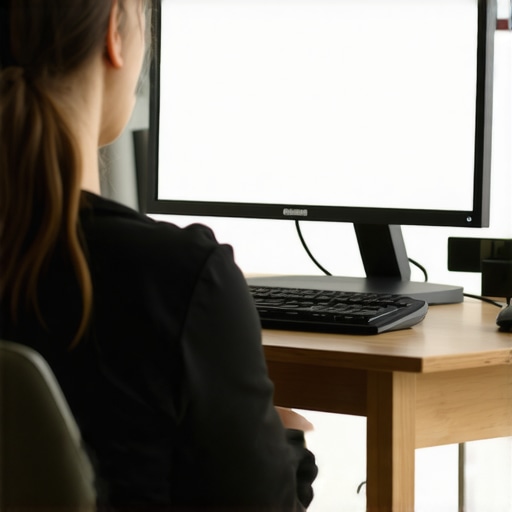
I remember the exact moment I realized my workstation was secretly sabotaging my neck. Frustrated after yet another painful afternoon, I caught a glimpse of myself in the mirror—my head perfectly leaning forward, eyes fixed on my cluttered desk. It hit me: my monitor was way too low. That simple oversight was causing an unwelcome chain reaction of neck strain that I couldn’t shake off. It was a lightbulb moment that changed how I approach posture—sometimes, fixing something as simple as monitor height makes all the difference.
Why Your Screen Position Might Be Wrecking Your Neck
Complicated exercises and fancy ergonomic gadgets are great, but often, the root cause of neck tension is surprisingly straightforward. Imagine your head as a bowling ball perched on a stack of cushions. When your monitor is too low, you have to tilt your neck downward — a posture that, over time, can lead to chronic discomfort. It’s easy to dismiss this as minor, but according to recent research by the American Chiropractic Association, poor ergonomics like misplaced screens can increase neck strain and even contribute to headaches.
Early in my journey, I made a mistake many do—I kept adjusting my chair rather than my monitor. I thought seat height was the key until I realized that a simple fix at eye level dramatically eased my tension. I want you to avoid all that trial and error. In this post, I’ll share a straightforward monitor height trick that’s helped countless people (including myself) eliminate neck pain without expensive equipment or complex routines.
Is This Tiny Adjustment Overhyped?
Honestly, I was skeptical at first. I’d spent years stretching, adjusting furniture, and trying every gadget under the sun. I wondered, “Would raising my monitor really make that much difference?” The answer is a resounding yes. When I got serious about aligning my screen properly, the relief was almost instant. It’s one of those small changes that pack a punch—you don’t need to overhaul your entire workspace. If you’re like me and have been chasing complicated solutions, this is a game-changer.
Stick around—next, we’ll go through exactly how you can implement this simple, powerful change in your own setup. Ready to say goodbye to nagging neck pain? Let’s dive in.
Bring Your Monitor to Eye Level for Instant Relief
The first step is to elevate your monitor so that the top of the screen is at or just below eye height. I remember the mess I made when I first tried this—stacked books, a makeshift stand, and a lot of trial and error. After several adjustments, I finally found that a simple monitor riser or adjustable stand kept my neck in a neutral position. This prevents your head from leaning forward, reducing strain and promoting better posture. Think of your neck as a stack of books—if the bottom is tilted, the entire stack becomes unstable. Keep your screen steady and at eye level to avoid unnecessary tension.
Use an External Webcam or Fix Your Screen Angle for Better Alignment
If you use a laptop, consider attaching an external webcam at eye level and then raise the device on a stand. For desktops, adjusting the height is straightforward—just place the monitor on a sturdy riser or adjustable arm. When I applied this, I noticed almost immediate relief after just one day. It’s akin to adjusting a camera lens—getting your viewfinder aligned sharply makes a huge difference. This tiny change keeps your neck in a comfortable, neutral position, minimizing muscle fatigue and headaches. For more detailed strategies, check out this guide on improving posture through mobility.
Ensure Your Desk and Chair Support Proper Posture
Once your monitor is at eye level, adjust your chair so that your feet rest flat on the ground and your knees are at a 90-degree angle. Think of your body as a well-balanced machine—each part needs to support the others. If your chair is too low or high, it throws your entire posture out of balance, causing your neck to compensate. A good rule of thumb is to sit back fully in your chair, with your shoulders relaxed and your head aligned over your torso. Consider a lumbar pillow for lower back support, which indirectly reduces neck strain by encouraging overall spinal proper alignment. For more posture tips, explore this article on chiropractic adjustments and posture.
Set Reminders to Adjust and Move Throughout the Day
Even with the perfect setup, static positions cause muscle fatigue. Use timers or apps like [Pomodoro Technique](https://quackersneck.com/mobility-hacks-simple-adjustments-for-a-more-active-life) to remind you to stand, stretch, and readjust your position. Remember, your muscles are like elastic—they need to be stretched and moved regularly to stay healthy. When I started setting 30-minute alarms, I noticed my neck soreness diminished significantly over the week. Think of it as oiling a machine that needs constant care; small, regular movements prevent stiffness and keep your posture in check.
Many assume that a quick neck adjustment or stretching session can resolve years of poor posture, but the truth is more complex. One common myth is that all chiropractic adjustments are equally effective for everyone, when in fact, individual variation plays a huge role. For example, some practitioners focus solely on spinal alignment without addressing mobility deficits—a mistake that can lead to suboptimal or temporary results. An advanced nuance often missed is understanding the interplay between mobility and neuromuscular control; addressing only one without the other limits progress. In fact, research indicates that combining mobility exercises with targeted adjustments yields better, long-lasting outcomes (see this resource).Maintaining your progress in posture correction and mobility requires more than just exercises; it involves using the right tools and techniques to ensure long-term results. Personally, I rely on specific equipment that has proven effective in my routine and can help you sustain improvements. One essential tool is an adjustable monitor stand, which I use to keep my screen at eye level, preventing neck strain during long work hours. This small investment has paid off by reducing discomfort and supporting ergonomic discipline. Additionally, I incorporate mobility devices like resistance bands and foam rollers into my daily regimen. Resistance bands are fantastic for targeted stretches and strengthening weak areas, especially around the shoulders and hips—critical zones for posture health. Foam rollers help release muscle tightness that often mirrors poor alignment, making adjustments more effective. For software, I find that reminder apps like [Mobility Hacks](https://quackersneck.com/mobility-hacks-simple-adjustments-for-a-more-active-life) are invaluable. They prompt regular movement, counteracting the effects of static positions, which I’ve seen significantly lessen stiffness over time. Looking ahead, I predict that wearable technology, such as posture-tracking devices, will become standard tools for self-monitoring, providing real-time feedback that encourages consistent posture habits. To get the most out of these tools, commit to integrating them into your daily routine with consistency. For example, set alarms to remind you to check your posture and perform brief mobility exercises. As a practical tip, I recommend trying a resistance band shoulder pull every morning; it’s simple yet incredibly effective at reinforcing healthy shoulder alignment, contributing to overall spinal balance. For further reading like deep dives into chiropractic techniques, check out this guide on enhancing posture with expert techniques. Remember, the key to lasting results is maintaining a proactive approach—your body responds best when you keep it in motion and stay vigilant about posture cues throughout your day. Start small, stay consistent, and soon you’ll notice even more improvements in your mobility and comfort.
The Hidden Truth Behind Neck Pain Relief
One lesson that truly transformed my approach was realizing that many posture issues stem from subtle, often overlooked habits. For instance, I discovered that consistent positioning—a slight tilt of the monitor or the way I carry my bag—can cumulatively cause significant strain. Recognizing these small details was a lightbulb moment, reminding me that effective change often starts with minor adjustments, practiced daily.
Another insight was understanding that mobility isn’t just about stretching; it’s about creating lasting neuromuscular improvements. Implementing targeted mobility routines integrated with subtle posture corrections led to sustainable relief, beyond temporary fixes.
Finally, I learned that persistence beats perfection. Small, consistent actions—like setting reminders to check your alignment—compounded over time, leading to a healthier spine and a more energized life. The key takeaway? Becoming aware of your habits and making incremental changes can unlock profound improvements in your posture and overall well-being.