
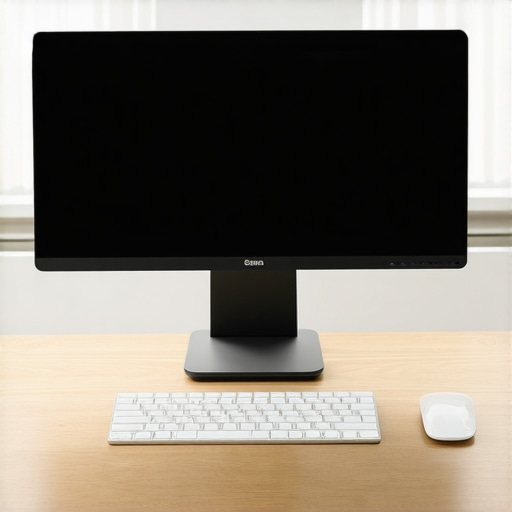
It was 3:00 PM on a Tuesday, and my upper back felt like it was wrapped in barbed wire. My neck was thrust forward like a hungry turtle, and I realized I was practically pressing my nose against my monitor just to read a simple spreadsheet. Sound familiar? We have all been there. You start the workday with pristine intentions and perfect posture, but within an hour, you are sinking into a deep, painful slump. I used to think I just lacked discipline, but the real culprit was staring right back at me. My monitor setup was actively forcing me into a physical wreck.
The Invisible Pull of Your Desktop
We rarely think about our screens as active forces, but they dictate exactly how our bodies behave. If your screen is too low, you slouch. If it is too far away, you squint. When you squint, your brain automatically tells your neck to reach forward. This nasty habit is a primary trigger for reaching with your chin, which wreaks absolute havoc on your cervical spine. By making a few precise physical adjustments to your workspace, you can instantly break this cycle of pain and reclaim your daily comfort.
Are digital eye strain and bad posture actually linked?
Absolutely, and the connection is stronger than you think. In fact, a study published by the Journal of Physical Therapy Science highlights that visual fatigue directly correlates with increased forward head posture and upper traps muscle tension. When your eyes struggle to focus, your physical alignment immediately suffers. Early in my desk-bound career, I made the classic mistake of buying an expensive ergonomic chair while ignoring my screen height. It did nothing. I was still leaning forward, completely defeating the purpose of the chair. It turns out that your eyes always lead the body; if your screen isn’t positioned to meet your gaze naturally, your spine will bend to make up the difference. Today, we are going to fix that forever.
Have you found yourself leaning in closer and closer to your monitor by the end of the afternoon? I would love to hear if you have struggled with this exact same daily cycle—feel free to drop a comment below and let me know how your neck is feeling right now.
To truly fix this, we need to look beyond just the height of the plastic stand. We must look at how we align our eyes with our workspace to ease the burden on our nervous system. For a deeper look at how these daily physical patterns affect your overall health, you can explore our guide to improving mobility and posture.
Find Your Eye-Line Horizon First
Most people set up their workspace by putting their chair where it feels comfy, tossing their monitor on the desk, and calling it a day. That is backward. You must build the setup around your eyes. When you look straight ahead, your natural line of sight should land exactly two to three inches below the very top edge of your screen. This forces your eyes to look slightly downward without your head dropping along with them.
I remember when I finally bought a monitor arm to test this out. I had spent months trying to stop my shoulders from hunching, but within ten minutes of sitting down, my upper body would collapse anyway. The moment I clamped that heavy mechanical arm to my desk and raised the screen by nearly four inches, everything changed. I felt an immediate release of tension in my neck, like someone had cut a tight guitar string. It was messy at first—I had cables dangling everywhere and had to stack two old textbooks under my keyboard tray to match the new height—but it instantly stopped the physical strain. If you keep your screen too low, you are practically begging for shoulders that feel like they are touching your ears.
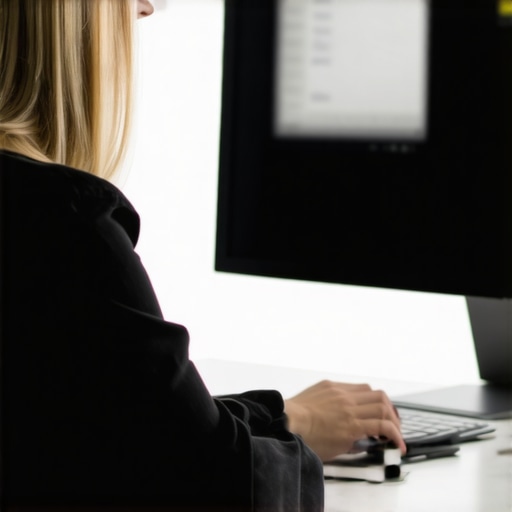
The Horizon Check
To find this sweet spot without a ruler, sit up with your back fully supported by your chair. Close your eyes, take a deep breath, and let your shoulders drop. When you open your eyes, you should be staring directly at the top third of your display. If you are looking over the top of the bezel or staring straight into the bottom taskbar, your monitor is actively sabotaging your spine.
The Arm-Length Rule for Distance
Distance is just as critical as height. If your monitor is too close, you will experience eye strain; if it is too far away, you will lean forward to read small text, causing your chin to jut out. The ideal distance is roughly an arm’s length away from your face. Extend your arm straight out in front of you while sitting back in your chair. Your middle finger should just barely touch the glass of your screen.
Why Font Scale Matters More Than Desk Depth
If you push your monitor back to an arm’s length and suddenly find yourself squinting, do not pull the monitor closer. Instead, increase your system font size to 110% or 125%. This allows you to maintain a healthy physical distance without forcing your eyes to strain. If you continue to struggle with visual fatigue even after making these spatial adjustments, you might want to look into why your eyes might be the hidden cause of your neck pain. Aligning your monitor to your visual needs is a vital step toward long-term comfort, especially if you also integrate targeted movement to keep your joints fluid throughout the workday.
Tilt the Screen Backward Like a Book
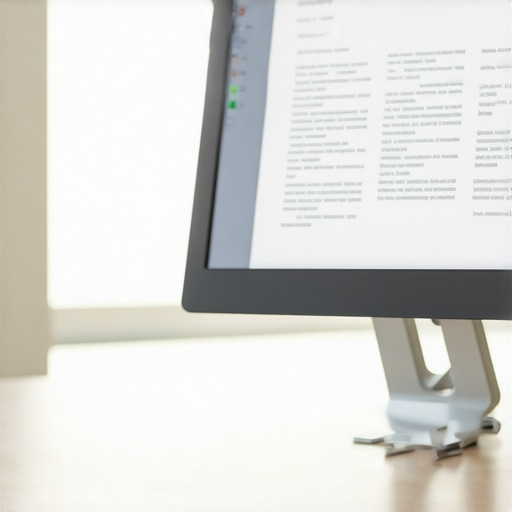
We do not read books perfectly vertical; we hold them at an angle. Your monitor should do the same. Tilt the bottom of your screen slightly toward you and the top slightly away—about 10 to 20 degrees. This tilt ensures that the entire screen remains at an equal distance from your eyes, preventing you from constantly shifting your head up and down to read different parts of the page. This simple tilt reduces the micro-movements that lead to a stiff, locked cervical spine.
When we talk about fixing our daily work environment, most ergonomic specialists tell us to buy expensive lumbar pillows or to lock our bodies into rigid, military-grade posture. I am going to challenge that common belief right now. In my experience, trying to maintain a perfectly stiff, upright posture is actually a recipe for chronic pain. The real key to relief is not static perfection; it is dynamic micro-movements. Your spine is designed to move, and freezing yourself in one position—even if it is theoretically correct—eventually starves your spinal discs of vital fluids and nutrients.
Why does static ergonomics fail to relieve your chronic muscle soreness?
A fascinating study published in the European Spine Journal points out that prolonged static sitting, regardless of the quality of your chair, significantly increases spinal disc pressure and muscle fatigue. This is because your body relies on movement to pump fluids through your joints. When you freeze in place, your muscles must work overtime to hold you up, leading directly to that deep, burning ache. Have you ever fallen into this trap of trying to sit perfectly still only to end up more stiff? Let me know in the comments below.
The biggest trap people fall into when trying to fix their setup is overcorrecting. They raise their monitors so high that they are constantly tilting their heads backward, transferring the stress from their upper traps straight into their suboccipital muscles at the base of the skull. This physical miscalculation is why you might experience a strange, persistent tension that makes you want to crack your neck throughout the afternoon. If you have been doing this, you should immediately learn why you should stop cracking your own neck for relief and focus on proper visual positioning instead.
Another subtle mistake is ignoring how your overall body mechanics relate to your workspace adjustments. We often treat our neck and shoulders as an isolated system, completely forgetting that a stiff thoracic spine or a misaligned pelvis will force your upper body to compensate. If your hips are locked up from sitting all day, your neck will naturally jut forward to keep you balanced at your desk. To break this cycle, you need to combine a smart monitor setup with active mobility care. Understanding how chiropractic adjustments enhance posture and mobility can help you address these deeper, structural imbalances that a simple monitor stand can never fully fix on its own.
When you start adjusting your workspace, it is easy to treat it as a set-it-and-forget-it task. But the reality of physical health is that our habits drift. Within a week, you might find your screen has slipped back down its adjustable pole, or your chair has been lowered to fit under your desk at night and never brought back up. To combat this, I rely on a highly specific daily routine and some simple physical anchors to keep my spine aligned.
How do I maintain my posture and monitor alignment over time?
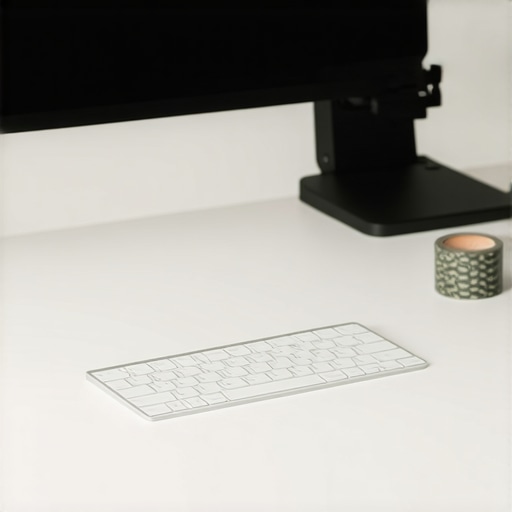
To keep my alignment from drifting, I use a physical tactile anchor on my desk. I have placed a small piece of textured tape on my desk exactly where my keyboard should sit relative to my monitor arm. If my keyboard drifts forward, I know I am starting to lean. Additionally, I highly recommend using digital tools to force behavioral changes. I personally use an open-source utility called Stretchly. Unlike simple timers that you can easily ignore, I configure Stretchly to lock my screen for 20 seconds every 15 minutes, prompting me to perform daily adjustments to my physical state.
During these micro-breaks, I do not just sit there; I actively reset my upper body. My favorite quick movement is the specific move to release tension in your upper traps, which takes less than ten seconds but immediately counteracts the tight, hunched position caused by typing. By combining software-enforced reminders with easy physical exercises, you prevent your muscles from freezing into a painful, static shape.
The Future of Workspace Ergonomics
Looking ahead, the trend is moving rapidly away from manual adjustments. We are beginning to see the integration of AI-powered webcam tools that monitor your eye level and shoulder alignment in real-time, subtly warning you when you begin to slouch. While these tools are promising, they cannot replace physical awareness. The long-term solution always comes back to keeping your joints mobile and your spine responsive. In my experience, pairing a dynamic workspace with professional care is the ultimate strategy for a pain-free life. I have found that regular chiropractic adjustments unlock a pain-free lifestyle today by correcting the deeper joint restrictions that no desk setup can fix on its own.
If you want to stop the afternoon ache, I challenge you to try just one advanced tip today: download a break-reminder app or place a physical marker on your desk to track your posture drift. Let me know in the comments how much of a difference this small change makes for your neck tension by the end of the day!
When we look beyond standard ergonomic advice, we find a world of subtle, high-impact physical habits that completely change how our bodies feel at the end of a long digital workday. Let us dive into the deeper physical realities of keeping your spine happy while maintaining peak focus.
The Hardest Lesson I Learned About Chronic Desk Fatigue
For years, I believed that if I just bought the right gadget, my pain would vanish. It took a long time to realize that no piece of equipment can save you from physical stillness. Here are the core insights that shifted my perspective:
- Ergonomic gear is just a starting point: A premium chair or a fancy monitor arm only creates the opportunity for movement; they do not guarantee it.
- The eyes always control the spine: If your vision is strained, your neck will bend to compensate, bypassing even the best chair adjustments. That is why understanding how your eye prescription might be changing your posture is so critical.
- Force yourself to look away: Muscles tighten when focused on a single distance. Looking at a distant object for twenty seconds every twenty minutes is a physical necessity.
- Passive relief is a temporary bandage: Truly correcting your daily strain requires combining workspace adjustments with active physical care, such as integrating improving posture through mobility routines.
My Essential Toolkit for Lasting Physical Comfort
I do not rely on willpower to maintain my alignment; I rely on simple, practical tools and resources. Here are the elements I trust to protect my spinal health:
First, Stretchly or similar open-source break-reminder software. This forces me to step away before my muscles lock up. Second, the 20-20-20 rule tracker, which prompts visual reset cycles to ease eye strain. Third, foam rollers and mobility bands kept right next to the desk to encourage micro-movements during short breaks. Finally, I trust professional physical and spinal care to keep my joints functioning correctly. No DIY setup can replace hands-on work, and knowing why chiropractic care is your secret weapon for better posture can help you address structural limitations before they turn into chronic pain.
Your Next Step Toward a Pain-Free Workday
You do not need to overhaul your entire office setup this afternoon. Start with one small, intentional action. Move your screen slightly higher, shift your monitor back to an arm’s length, or commit to a quick physical stretch during your next transition. By prioritizing your physical alignment and addressing physical patterns early, you will break the cycle of daily tension. Your body will thank you for the relief.
Did you try adjusting your monitor distance today, and did it help ease your neck tension? Let me know in the comments below!